
Mobile App Customisation for Clients
The Foodzilla mobile app and Client Web Portal offers extensive customization options to suit the specific needs of your clients. As a health and nutrition coach, you have the flexibility to enable or disable features in real time.
Available Customizations
- For All Clients: You can universally toggle features on or off.
- For Individual Clients: Tailor the app experience specifically for a single client.
This customization feature is available exclusively to users on our Professional plans and above.
Customise the Experience for All Clients
- Go to the Clients page
- Click Client App Settings
-
Use the toggles to enable or hide each feature
Example: For example, hiding the calories will remove calories/kilojoules data from the app for your client(s) so they don't focus on macros or calories and is very useful for clients suffering from eating disorders.
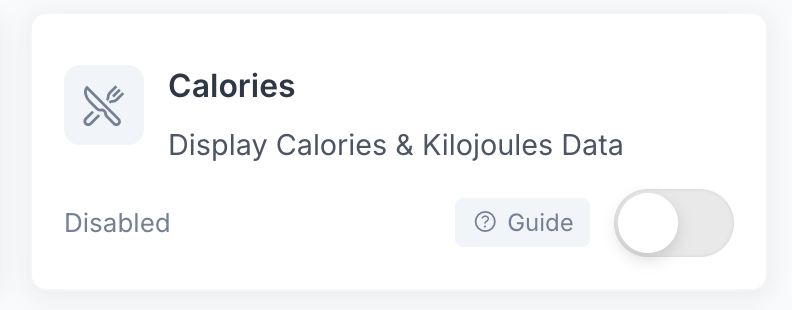
- Click ❓Guide beside a feature for more information
- Use Portal Preview to review the client experience
- Click Save Changes
Enabled features are visible and available to clients. Hidden features are removed from their mobile app and web portal.
Customizing for a Specific Client
- Select a Client: Go to the Clients page and select a client.
- Access App Customization: Click the "App Experience" button in More Options.
-
Adjust Features: Toggle each feature to show or hide it for this client, with before and after previews available for each feature.
Example: To remove the "Calories" and "Nutrients" sections for a specific client, who may benefit from focusing less on numbers, including clients receiving support for disordered eating.
- Save Changes: Click 'Save Changes' to apply the changes.

Features You Can Control
You can customise which features are available to clients across the Foodzilla mobile app and Client Portal.
App Access
• Mobile App
Turn mobile app access on or off for clients.
If Mobile App access is disabled, the client will not be able to use any features in the mobile app. Their Client Portal access is not affected, so they can continue using features you have enabled there.
This is useful for portal only memberships or services where you do not want to provide mobile app access.
Meal Planning and Recipes
• Meal Plan
• Co Planning
• Meal Plan Generation
• PDF Export
• Recipes Page
• Foodzilla Recipes
• Coach Recipes
• Food Search
Some features, including Meal Plan Generation and PDF Export, are available only on the White Label Plan.
Nutrition and Insights
• Calories
• Food Groups
• Nutrients Data
• Nutrition Insights
• Health Labels
Tracking and Goals
• Food Intake
• Water Intake
• Exercises
• Body Tracking
• Sleep Tracking
• Health & Diet Goals
Communication
• Messaging
Bookings, Forms and Invoices
• Bookings & Appointments
• Forms
• Invoices
Integrations and Support
• App Connections
• Support
After making changes, click Save Changes. Your settings will apply to the client experience across the mobile app and Client Portal, except where a feature specifically controls mobile app access only.
Support and Feedback ✨
If you need assistance or have feedback, please contact our support team via the chat bubble on our site.