
Magazine Style PDFs for Meal Plans and Recipes
Magazine Style PDFs give your Foodzilla meal plans, recipe collections, and recipes a polished, editorial look designed around food photography and visual presentation.
The layout can include a front cover, Day on the Plan overview, recipe pages, and a nutrition summary, making it a great option when you want to present plans to clients in a more professional and visually engaging format.
Magazine Style PDFs are available on the Professional plan and above.
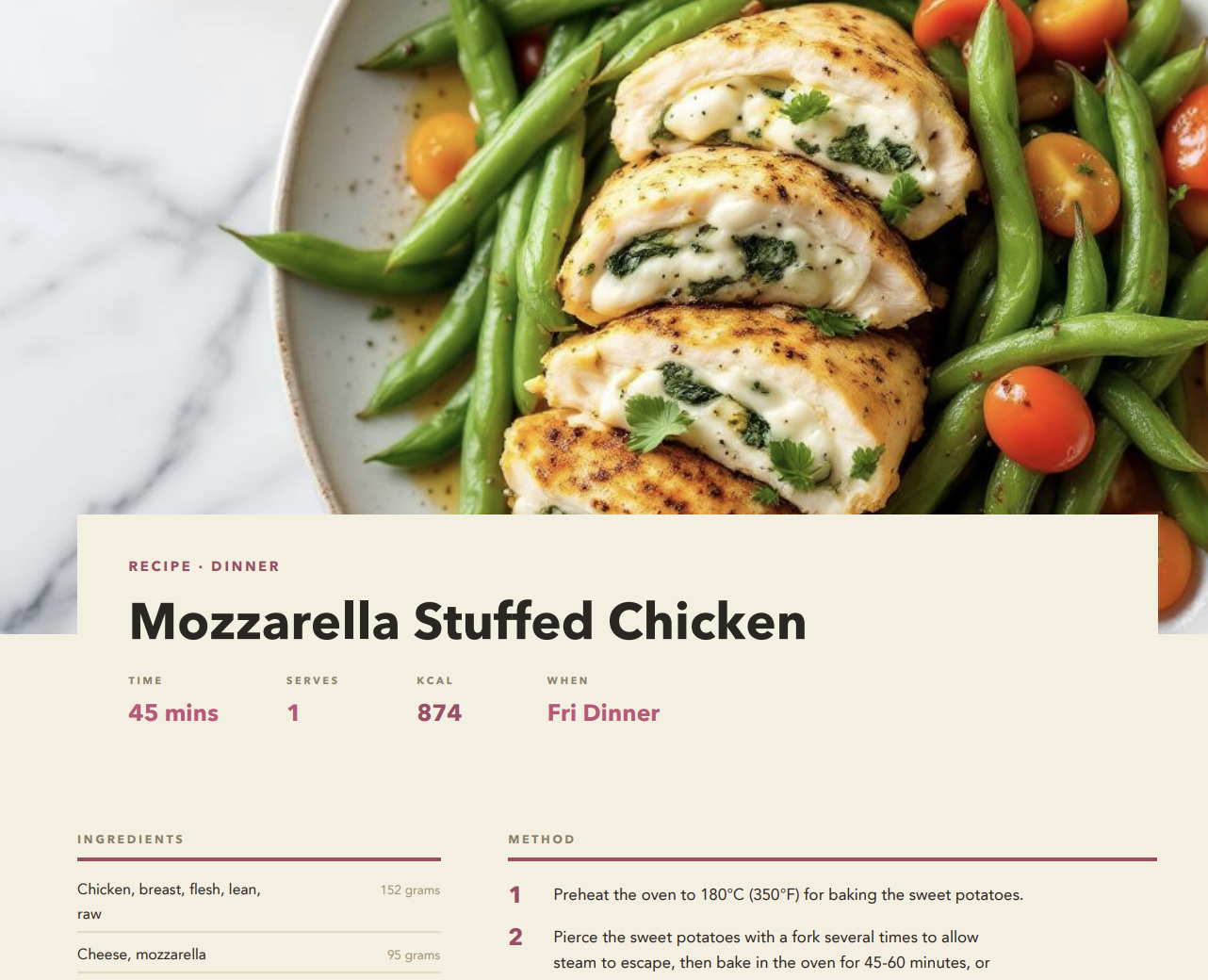
How to Create a Magazine Style PDF
- Open the meal plan, recipe collection, or recipe you want to export.
- Click PDF.
- If exporting a meal plan, choose the date range you want to include.
- Go to the Theme section.
- Under Recipe Layout Style, select Magazine.
- Customise the PDF appearance and content.
- Click Download PDF, or choose Create PDF Web Link to generate a shareable link.
Magazine PDF Customisation Options
You can further customise the look of your PDF by adjusting options such as:
• Page background including beige, white, grey, darker tones, and soft colours
• Nutrition summary page
• Back cover page
• Cover photo
• Font style
• Accent colour
Magazine is one of the available PDF layout styles, so you can switch back to another layout at any time from the same PDF export screen.
Tips for Better Magazine PDFs
• Preview your PDF before sharing, especially if you are using PDF language translation.
• If a meal contains several recipes, consider turning off Show images in meal plan overview so all recipe names remain visible.
• Clients can export their own meal plan PDF from the mobile app or Client Web Portal only when PDF Export has been enabled for them under App Experience.
For more information about nutrition display, grocery lists, password protection, PDF language, and other export options, see Share Recipes and Meal Plans as PDFs.