
Why are meals not showing up in the meal plan for my client?
There are a couple of things worth checking if you're experiencing this:
-
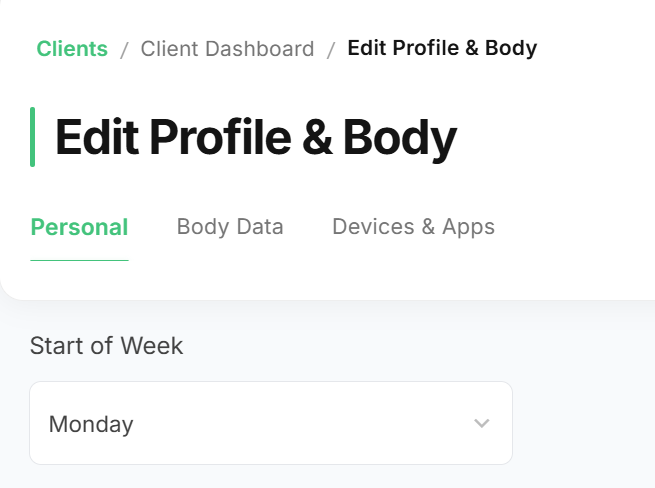
Start of week setting: Make sure the start day of the week matches between your account and your client's app. For example, if yours is set to Monday, their app should also be set to Monday rather than Sunday. A mismatch here can cause meals to appear on different days or look like they're missing.
-
Meal plan sync status: Only one meal plan can be synced to the client app at a time. Head to the meal plans page for the affected client, where all their meal plans are listed, and make sure the one you want synced is actually the one showing "Synced to client app" with a checkmark. If it's not, just click the sync button on the correct meal plan card to sync it.
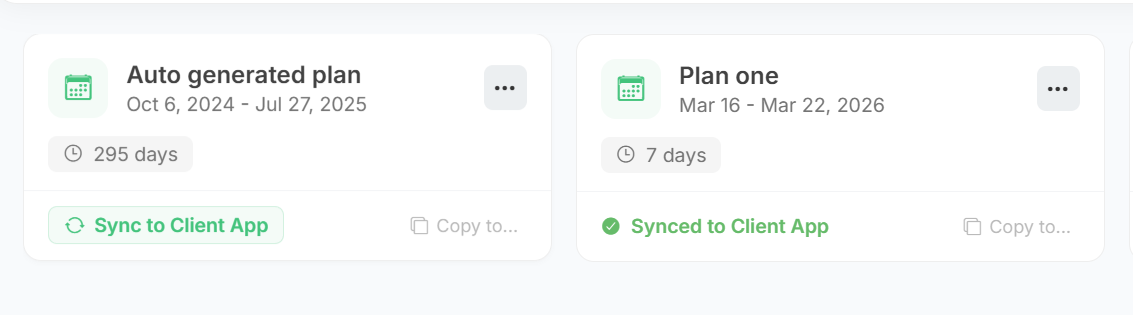
Foodzilla only supports syncing one meal plan to the client's mobile app. You can choose which one by clicking on the Sync to Client App button on the meal plan card.