
Customizing Booking Types
Advanced Settings for Each Booking Type 👏
Utilize these customization options to enhance the booking experience:
-
Multiple Durations for a Single Booking Type✨
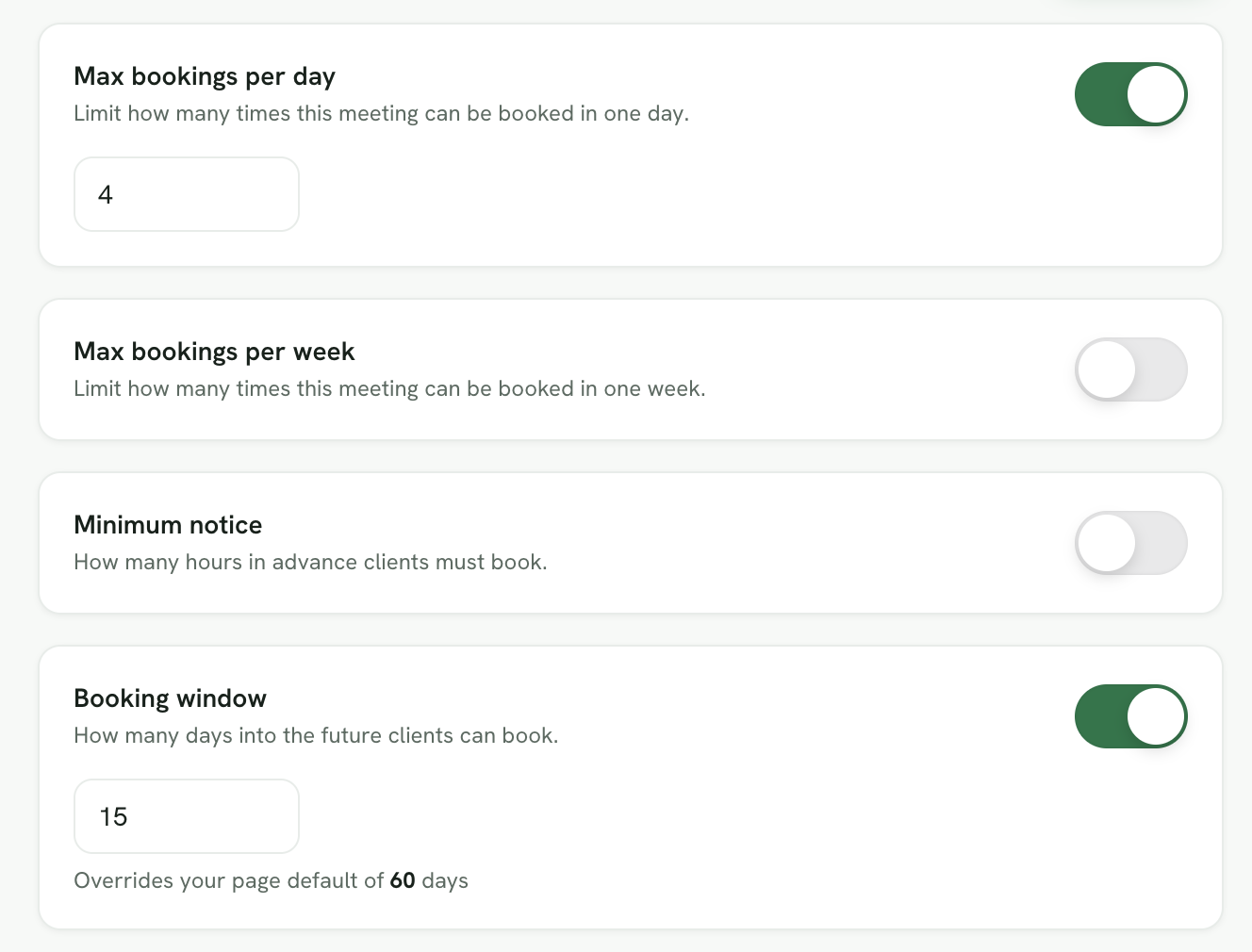
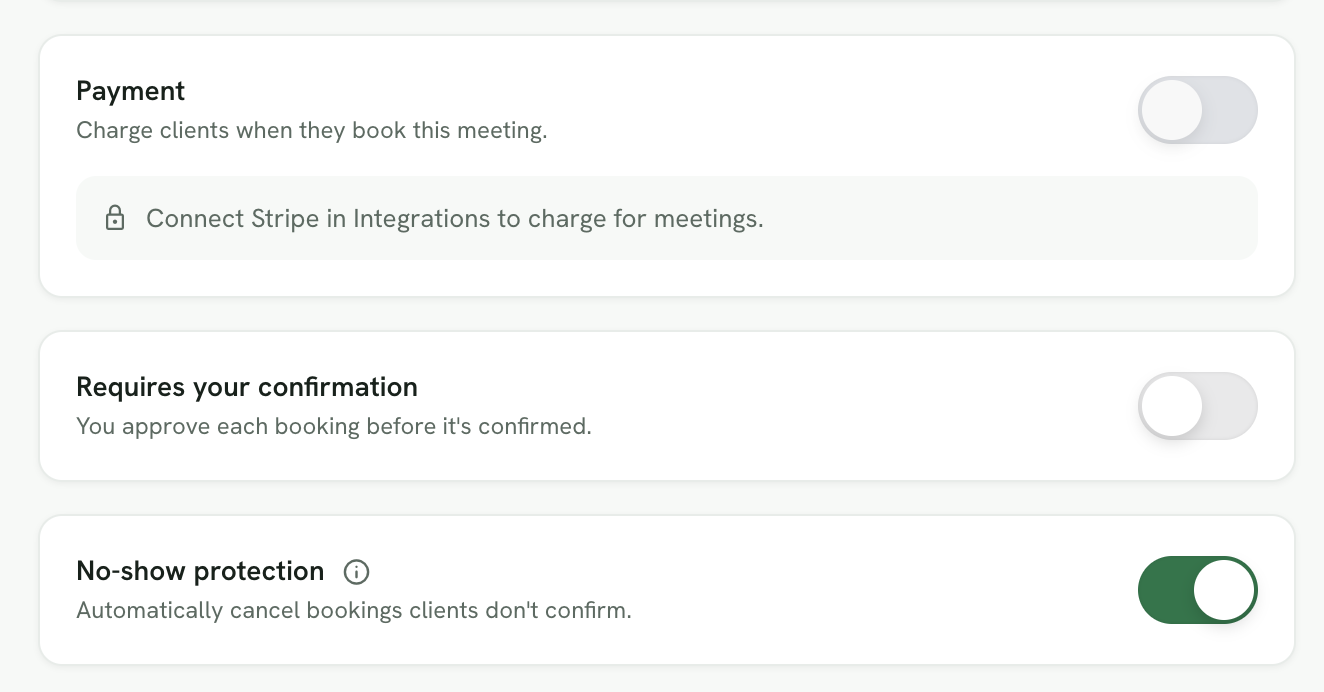
Foodzilla Bookings enables you to configure limits such as maximum bookings per day, minimum notice, booking window, and double-sided confirmations to prevent no-shows and keep you in control.
- Location Settings ✨
-
Choose from several location options to conduct your services:
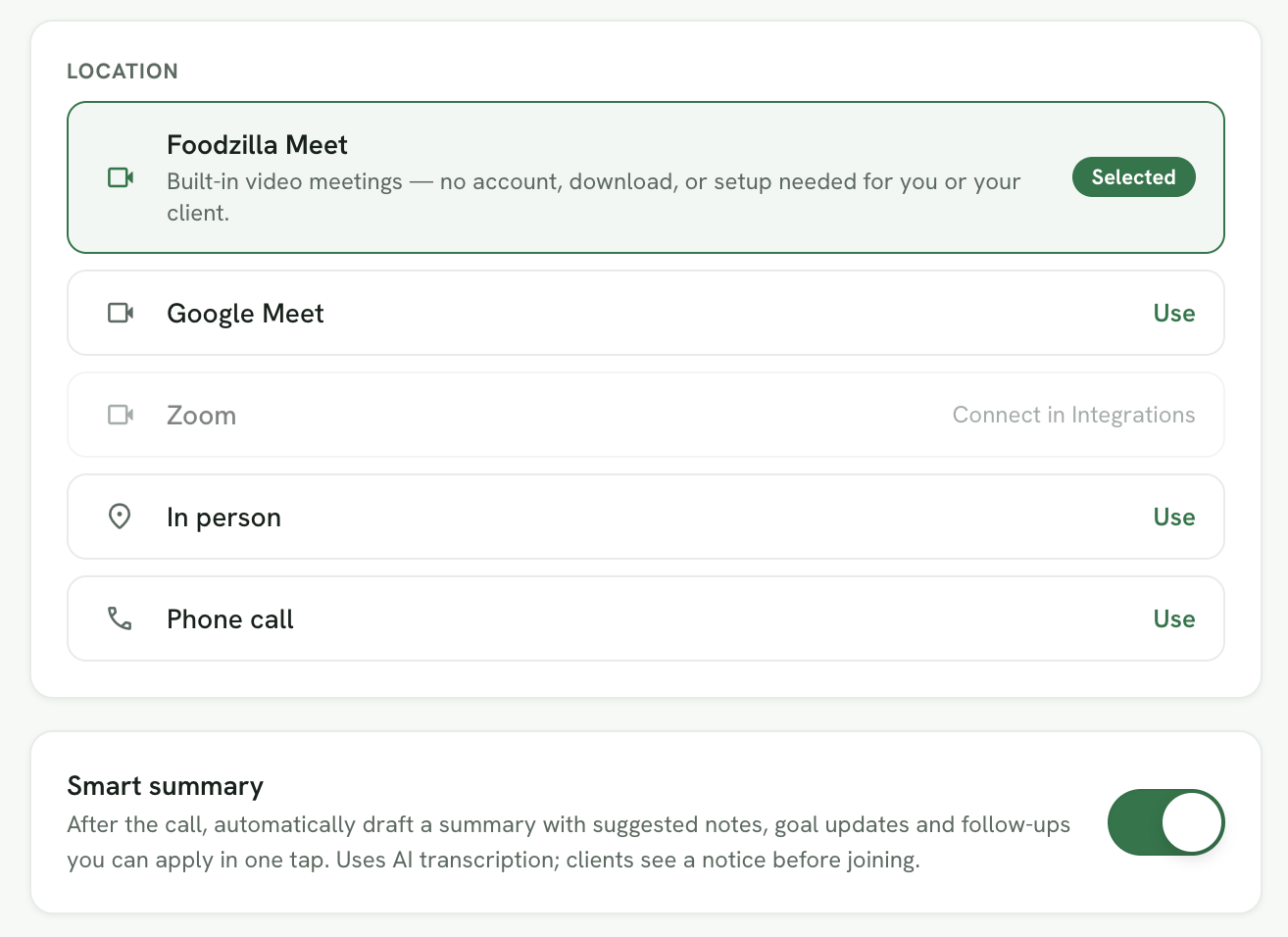
- In Person: Specify a clinic or gym address.
- Phone call: Offer your number for direct call sessions.
- Google Meet or Zoom: Use links for virtual meetings via platforms like Zoom or Google Meet.
- Foozilla Meet: Conduct secure video consultations with built in AI summaries and follow ups.
- Google Calendar Integration✨
- Connect your calendar to ensure available slots are accurately reflected, preventing any scheduling conflicts. This feature is crucial for managing your time efficiently between client sessions and personal commitments.
-
Availability Schedules✨
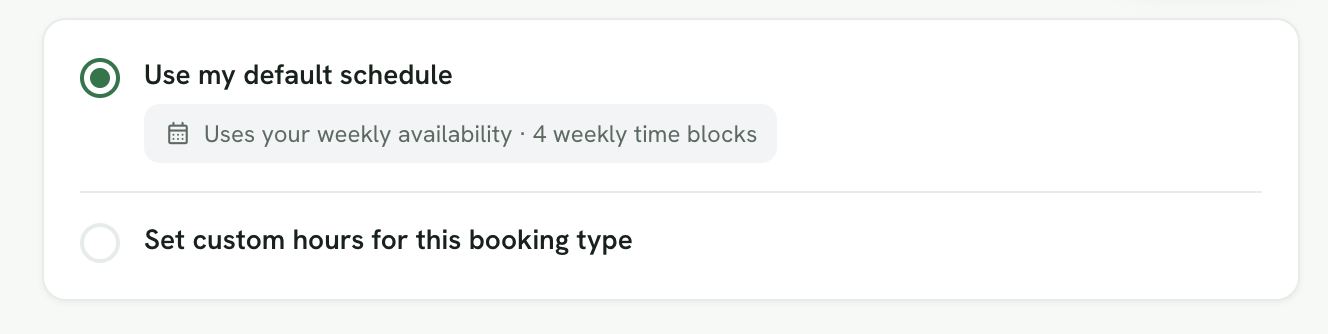
You have the flexibility to set up specific availability schedules tailored to each booking type.
- Access the Booking Type Settings:
- Navigate to the Availability section within the edit page of each service type.
- Assign Availability Schedules:
- You can choose to apply a specific availability schedule for individual booking types or use a default schedule.
- Access the Booking Type Settings:
These comprehensive features ensure that your booking process is as streamlined and efficient as possible, enhancing your professional engagements and providing flexibility in how you conduct your meetings or services. 🤩