
Can I Collect Payments via the Foodzilla Mobile App?
While Foodzilla does not directly process payments, you can add payment links to the client's mobile app so they can pay you through them. You can use links from payment processors like Stripe, PayPal.me, Square, or any other service that provides a web link.
Adding Payment Links
- Access the Branding Tab:
- Go to the Branding tab.
- Add Web Links:
- Click on Web Links.
- Fill in the details such as the title, subtitle, and web link source.
- Click on Update Branding.
- Client View:
-
The payment link will now be visible to your clients in the mobile app. When they click on it, the payment link opens for them to complete the payment.
Example: If you add a "Buy Meal Plan Package" payment link, clients can click on it and be redirected to the payment page.
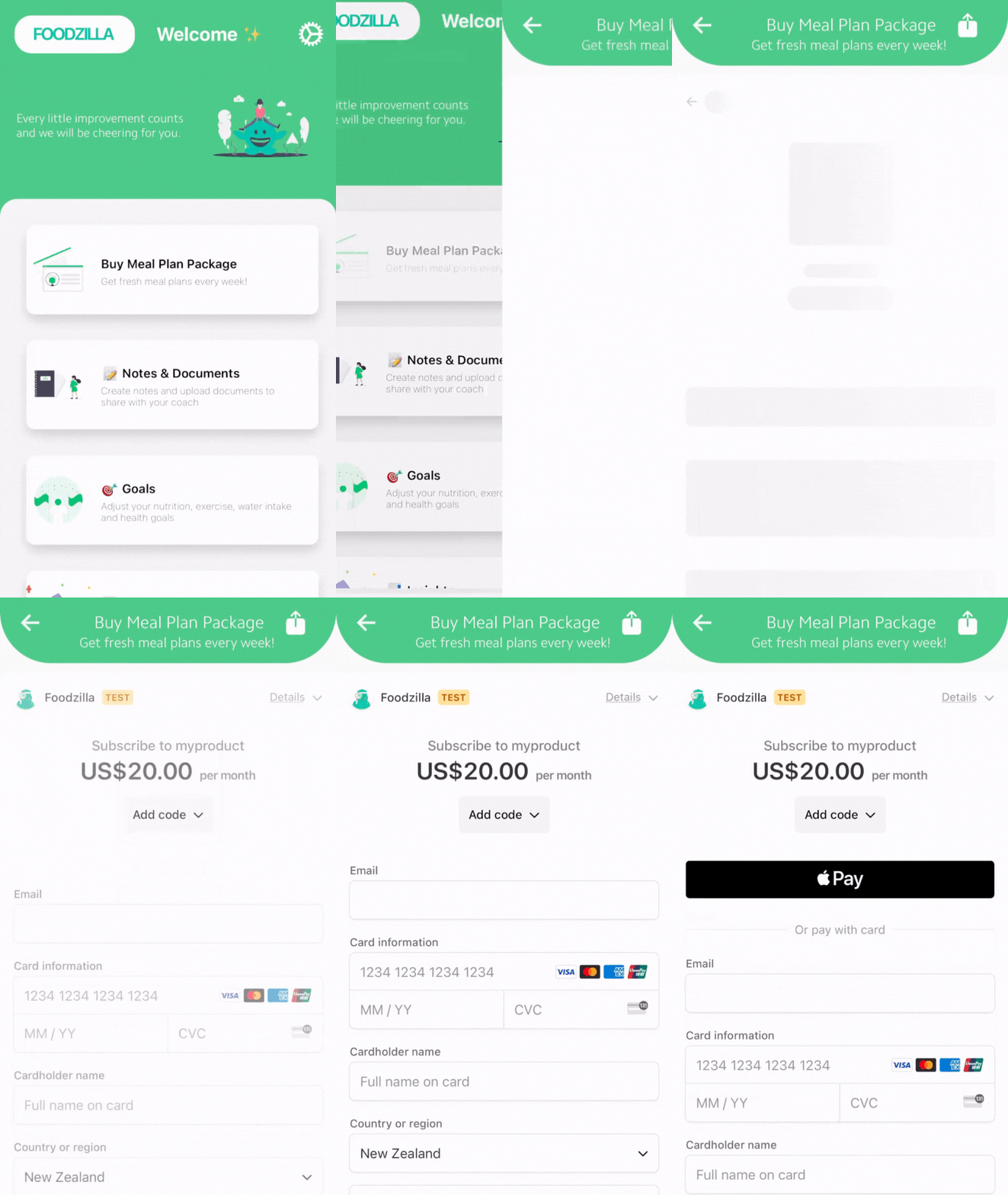
-
TIP: Adding payment links to the mobile app is a convenient way for clients to pay for services directly through the app.
To learn more about branding and web links, click here.